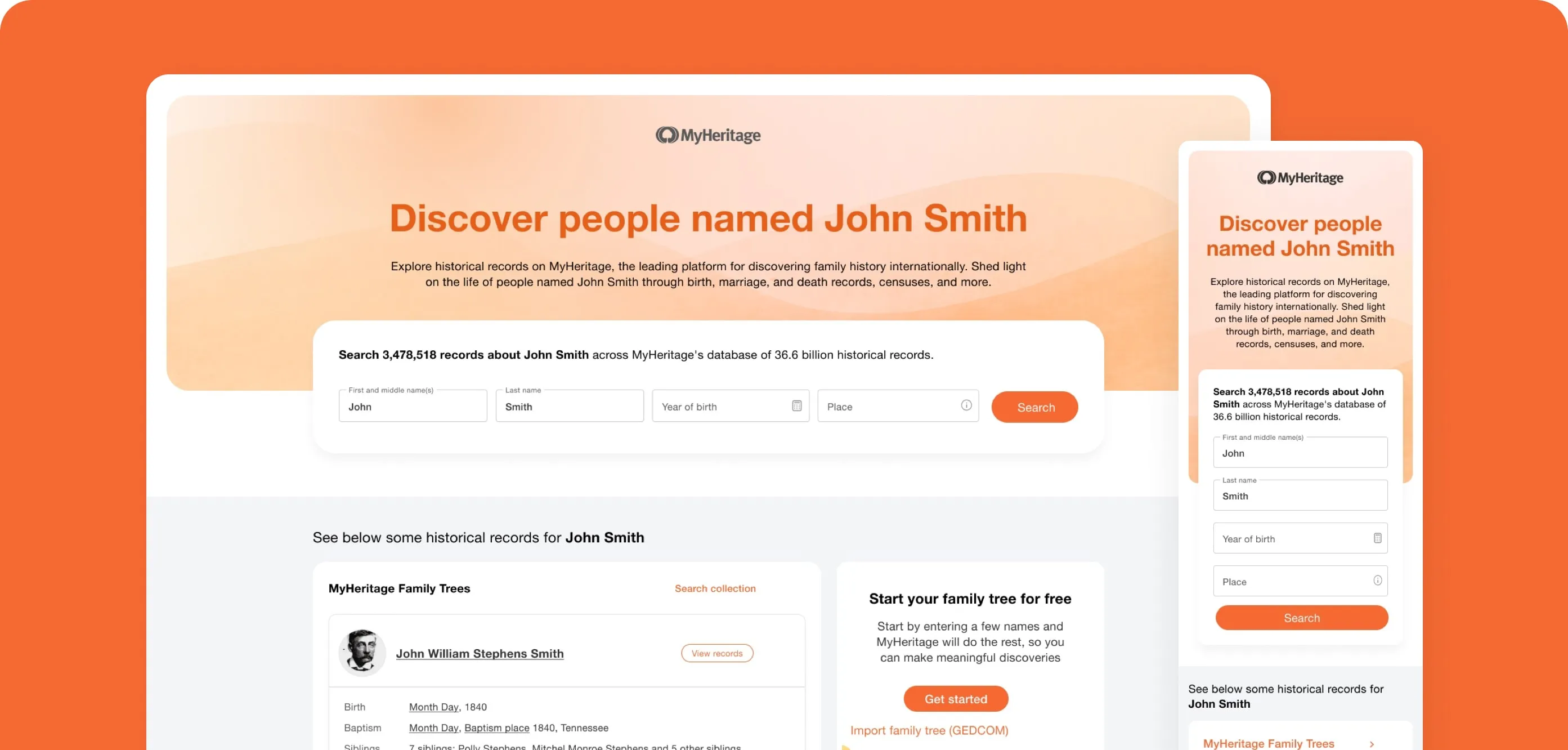
Redesign for Trust & Discovery | MyHeritage
A UX-driven redesign that transformed a key landing page — boosting visitor growth by 185% YOY and net billing by 117%, with research insights later implemented cross-product to increase subscriptions and engagement across the platform.
Overview
Organic search is one of MyHeritage’s top acquisition channels, responsible for bringing in the majority of new visitors each month. Following a decline in organic performance, the company formed a dedicated SEO & UX squad to rethink how genealogical data is structured, discovered, and trusted across the platform.
The project shifted the focus from search-engine optimization to user experience optimization, demonstrating that enhancing clarity, hierarchy, and micro-interactions could directly improve both engagement metrics and revenue outcomes.
- Role
- Product Designer - led end-to-end product design, for high-traffic landing experience, from research to implementation.
- Platforms
- Desktop & Mobile
- Team
- Product designer, 2 PM, FE, QA
- Timeline
- 2024
Impact
✅ Design patterns introduced here were later implemented across other discovery and record pages, increasing subscriptions and engagement platform-wide.
- Bounce Rate
- Down 28%
- Users stayed longer and explored more, reflecting higher relevance and clarity
- Visitors
- +3.6M
- Represents a 185% increase Year-over-Year (YOY)
- Conversion Rate
- Up 36%
- Clearer hierarchy and repositioned CTAs led to more registrations and subscriptions
- Net Billing
- Up 117%
- Achieved a 117% net billing increase YOY
Inception
When analytics revealed a drop in organic engagement, MyHeritage decided to invest strategically in UX improvements for its top SEO entry points. We identified the landing pages as the highest-leverage area - impacting millions of users monthly.
Our mission: reduce friction, strengthen trust, and convert curiosity into exploration.
The redesign unfolded in phases, enabling isolated testing and measurable validation at each stage:
- Phase 1: UI refresh and structural clarity.
- Phase 2–3: Functional expansion and scaling across languages.
Challenge
#1. Search Form vs. Link Density
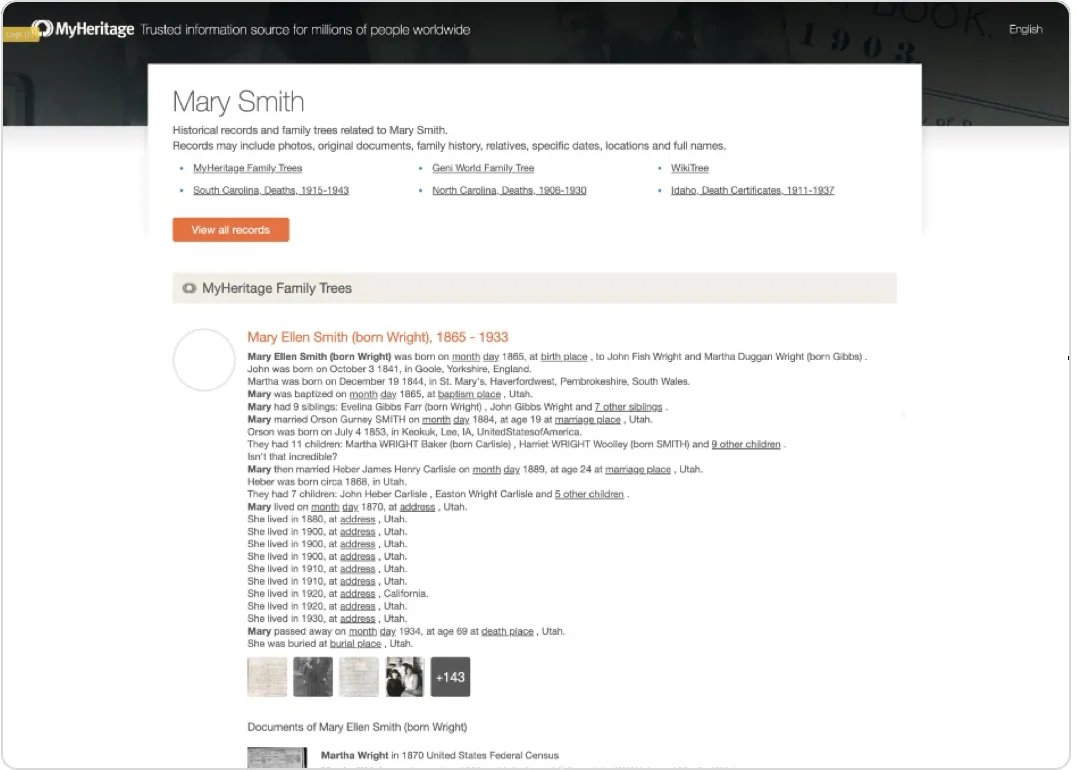
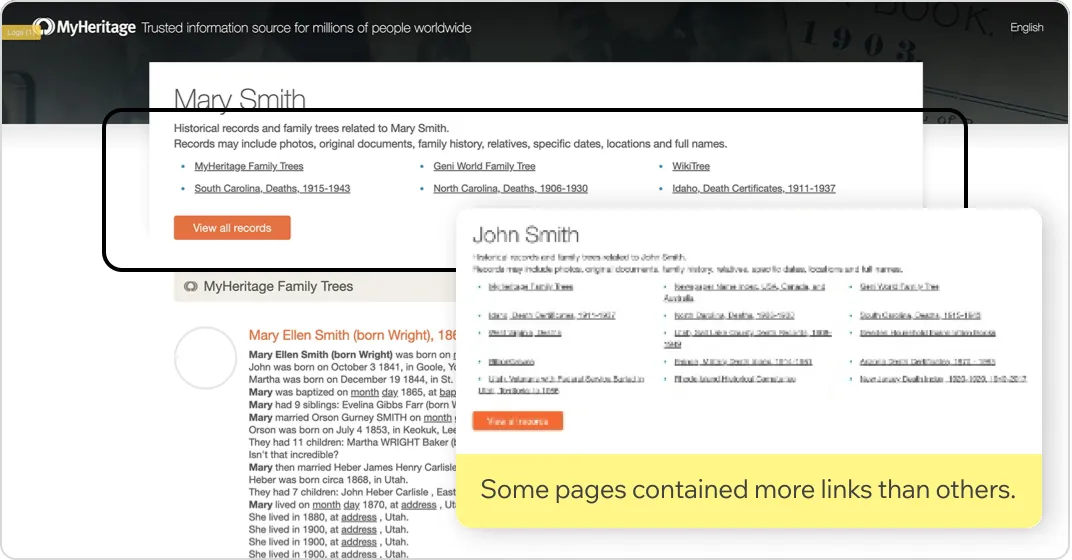
The old design featured anchor links section to various collections (for SEO indexing purposes), but lacked a prominent, internal search form.
There was internal debate: the Product Manager argued for maximizing link density to improve Google's indexing and crawling, while I contended that improving the core user experience and clarity would ultimately lead to better engagement and, subsequently, better indexing.
Our Solution: Data-Driven Design and A/B Testing Validation
We decided to resolve the fundamental conflict using data, conducting extensive user testing followed by an A/B test in production.
User testing
Methodology:
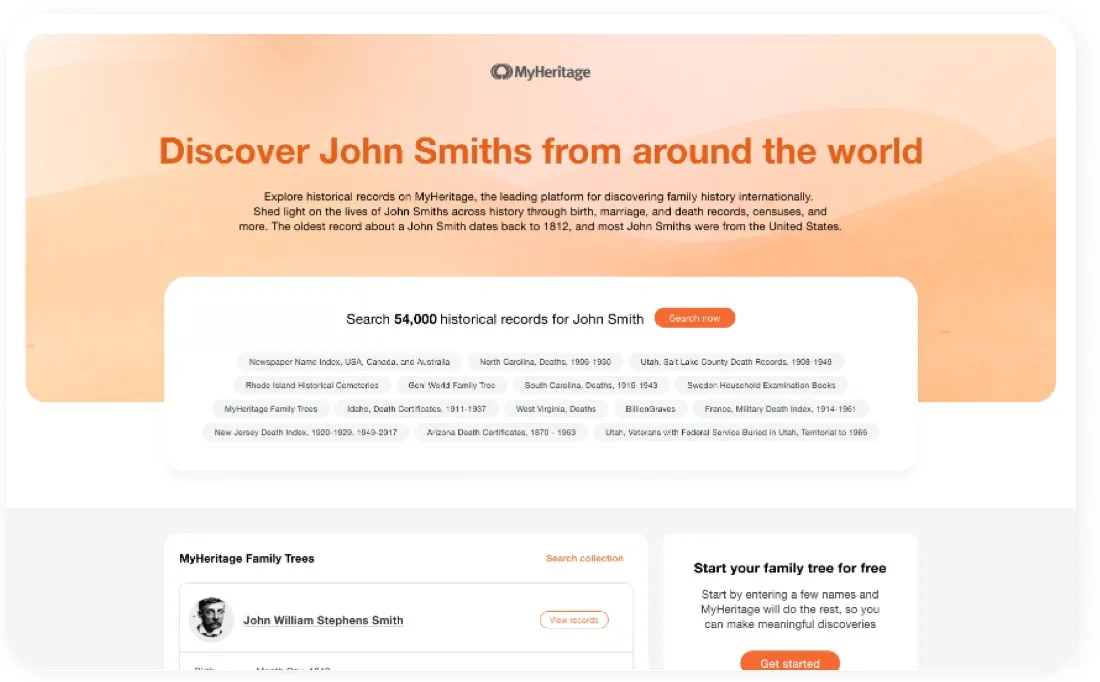
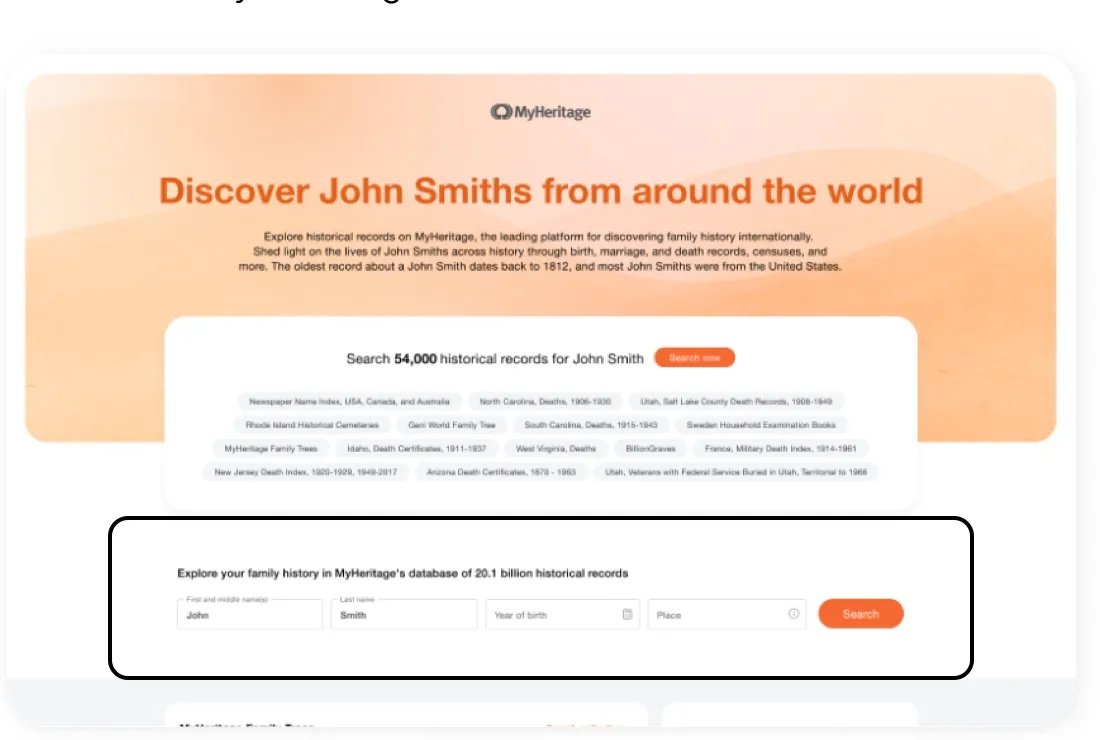
User testing was conducted on two main versions (mobile/desktop): Version 1 (without an on-site search form) and Version 2 (with an on-site search form). The test flow began through Google search results to replicate a real-life scenario
• Key Findings:
- The Search Expectation: Most users expected a search form to enter ancestor details and narrow results, rather than being presented with individual records immediately
- The Hidden Barrier: Users were often hesitant to click "view more" due to concerns about being forced to create an account or pay
- Users also expressed confusion and hesitation when faced with numerous links or tags, supporting the claim that the link-heavy structure caused frustration and uncertainty
A/B Testing Proved the SEO Value of UX
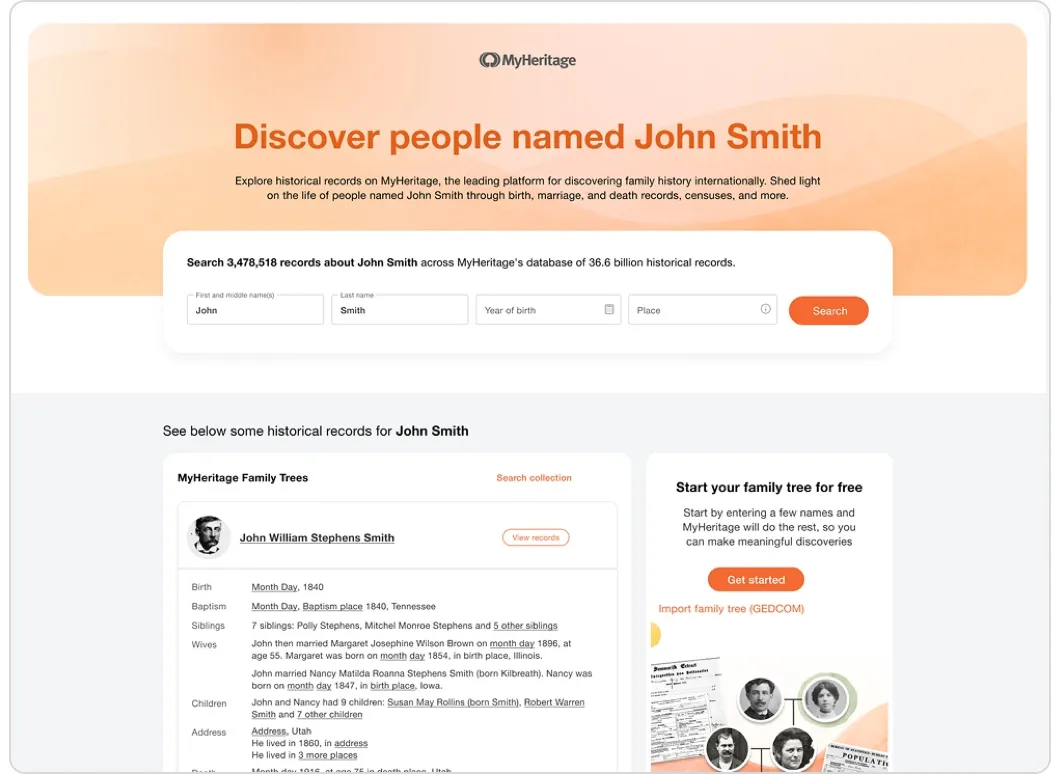
The results of the A/B test were decisive: the search bot also preferred the version that prioritized the user experience. The version featuring the search form resulted in massive growth, evidenced by the 185% increase in visitors and the scaling to 19M indexed pages.
The definitive A/B test results proved that providing efficiency and value to the user trumped the old strategy of link density. Consequently, in the final, successful version of the page, we eliminated the distracting, non-valuable link-heavy sections entirely (removing anchor links section)
Challenge
#2. Obfuscated Links: Building Trust with Transparent Data
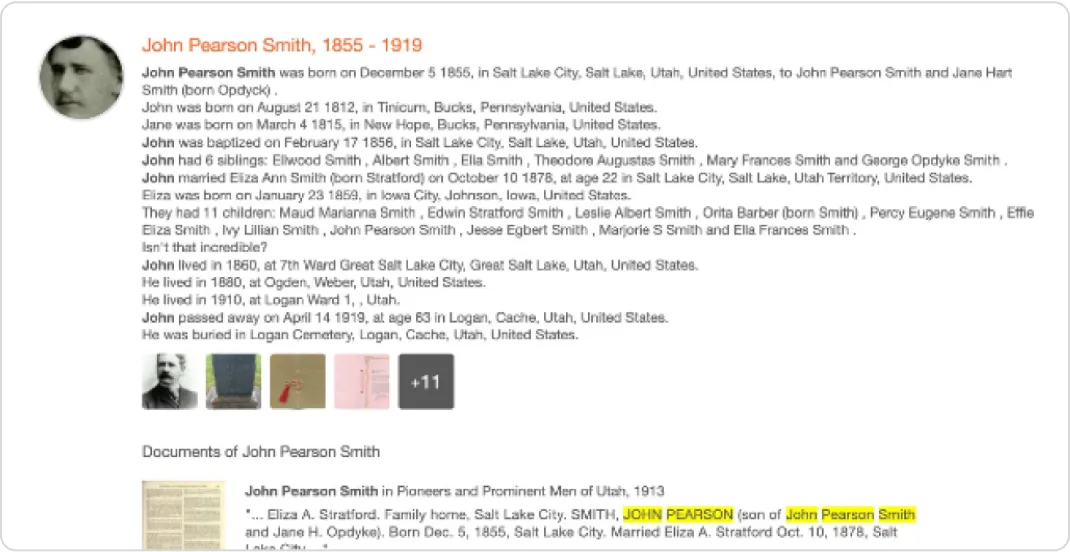
User testing revealed a major point of user friction and confusion: users did not understand that links (e.g., month/day, birth place) indicated hidden information.
Instead, some users thought the information was missing.
Furthermore, mobile users were hesitant to click on "view more" or similar options due to concerns about being forced to create an account or pay.
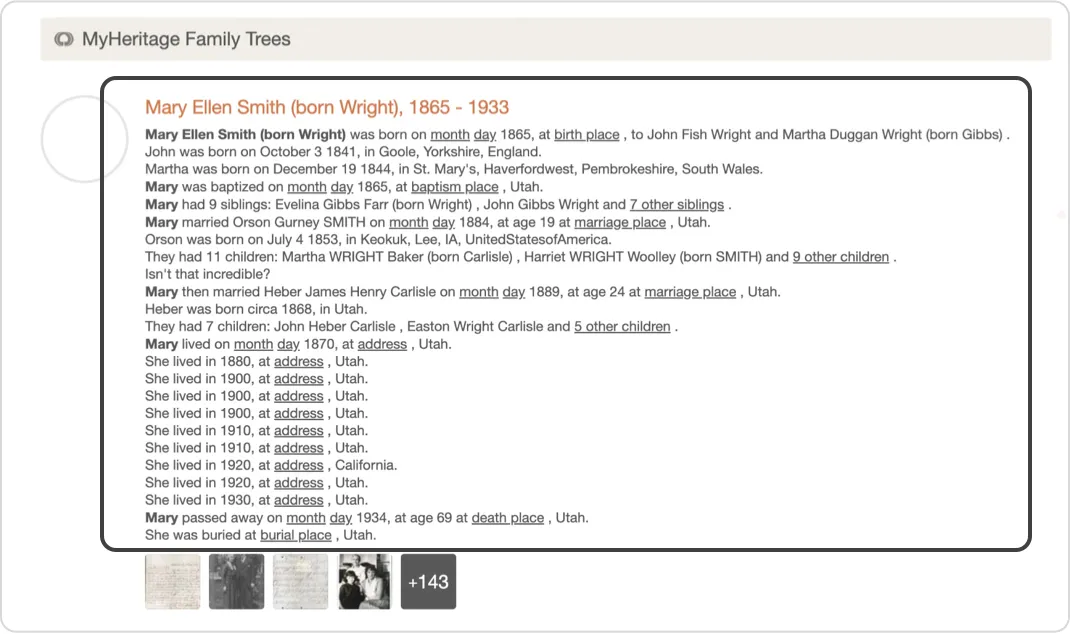
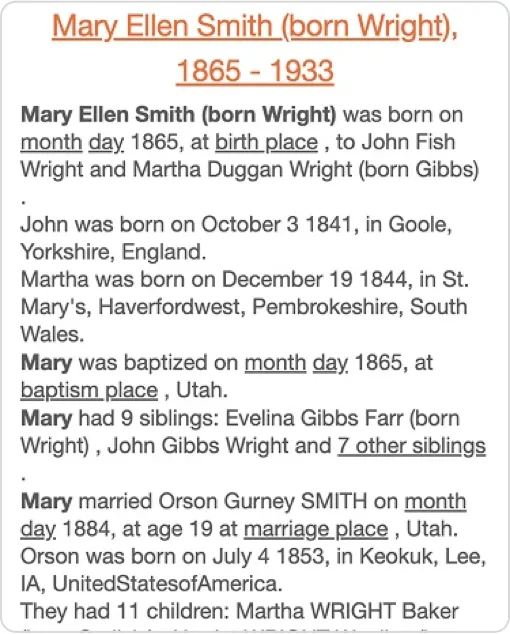
Our Solution
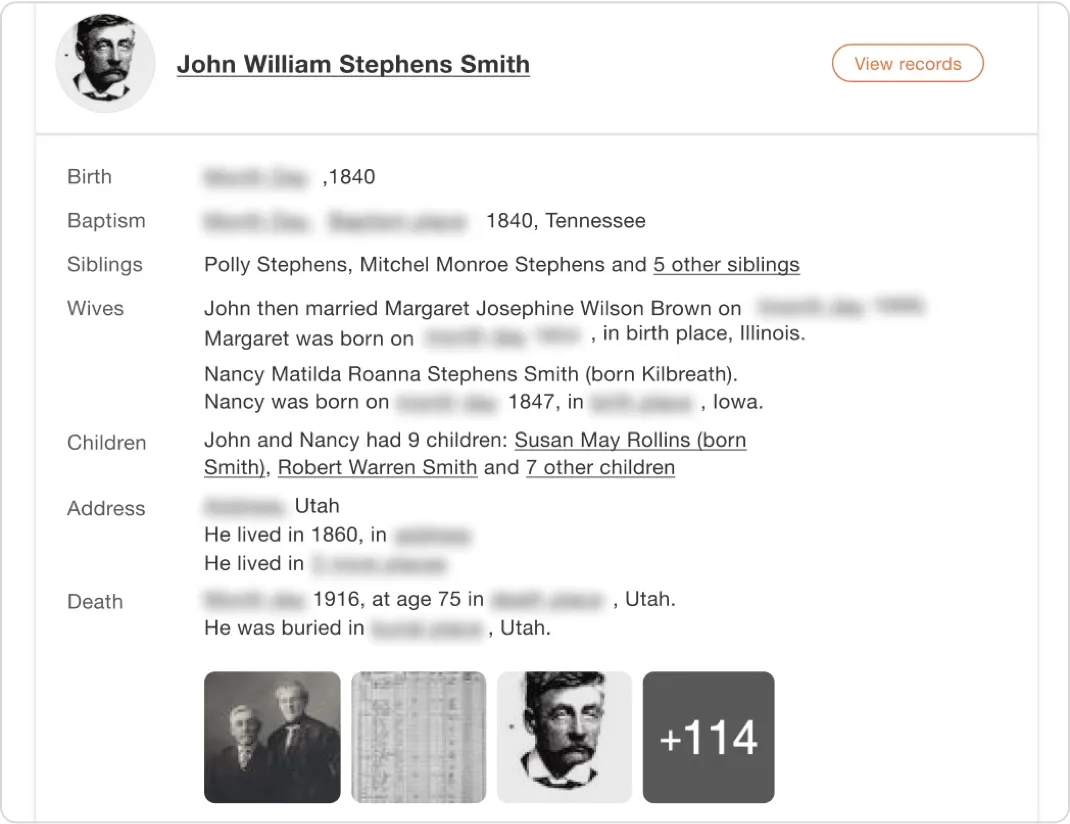
To resolve this issue of uncertainty and build trust, I proposed replacing the ambiguous, text links with a transparent visualization: Blurred Metadata.
The core hypothesis was that blurring content would increase its perceived value and motivate users to register or subscribe.
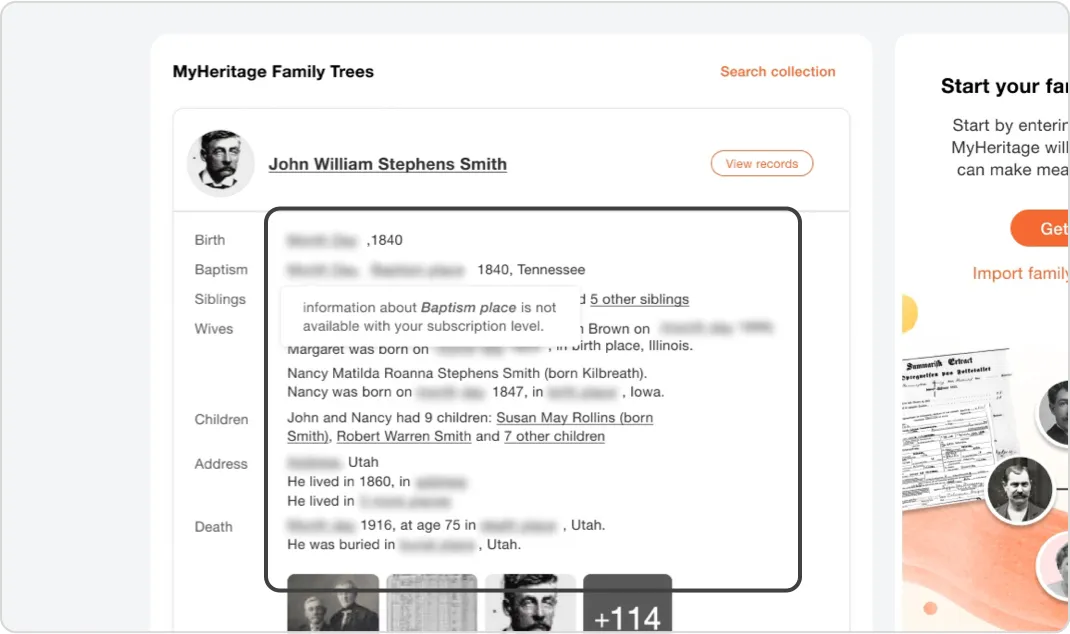
A/B testing proved that blurred links worked better. Increasing sign-ups and subscriptions (+15%) and billing (+4.6%).
Now a standard pattern across MyHeritage.
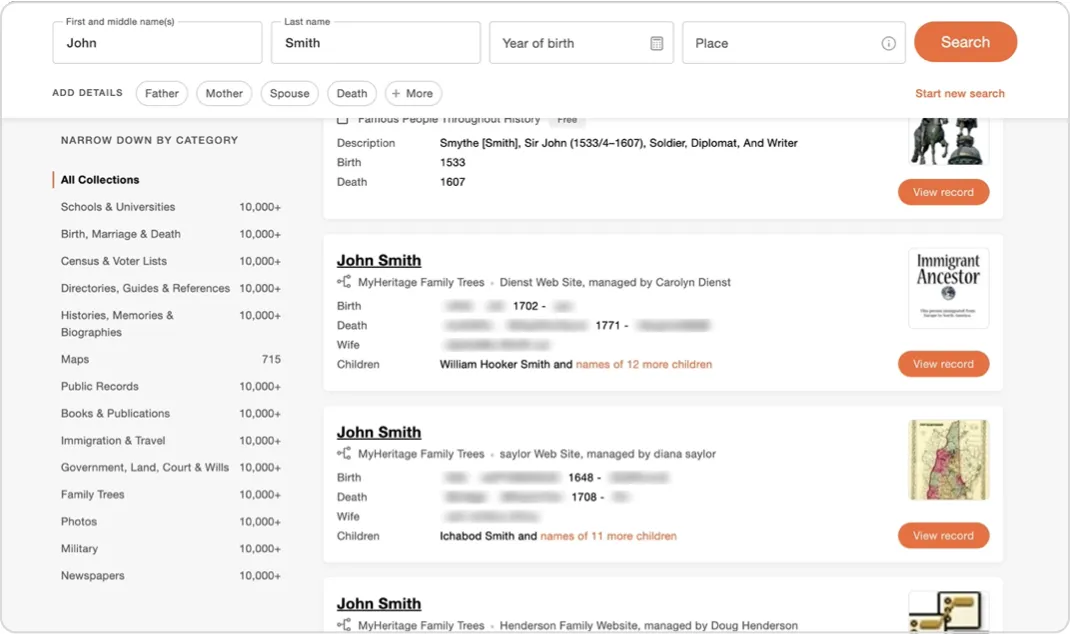
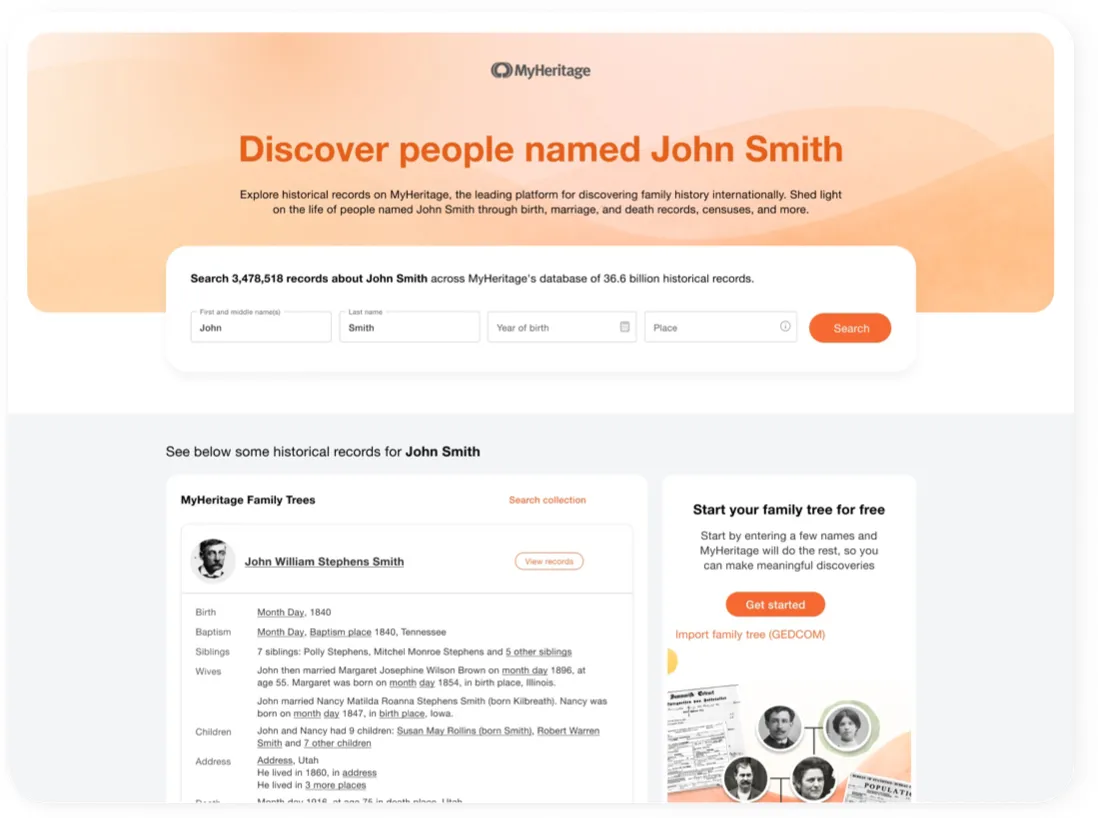
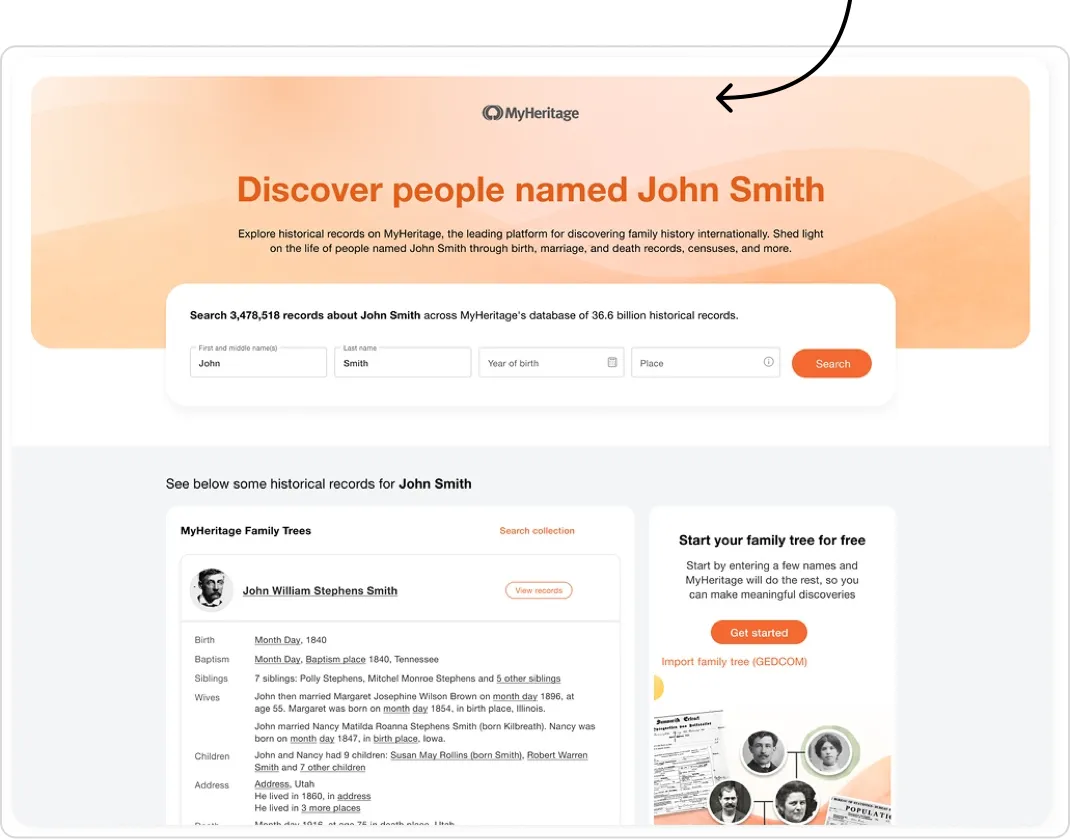
To extend the same clarity throughout the experience, we introduced Structured Data Presentation: replacing dense text blocks with a clean, field-based layout for birth, death, siblings, and other key facts.
This structural shift not only made individual records easier to digest but also reinforced the sense of transparency that Blurred Metadata had started to build.
Challenge
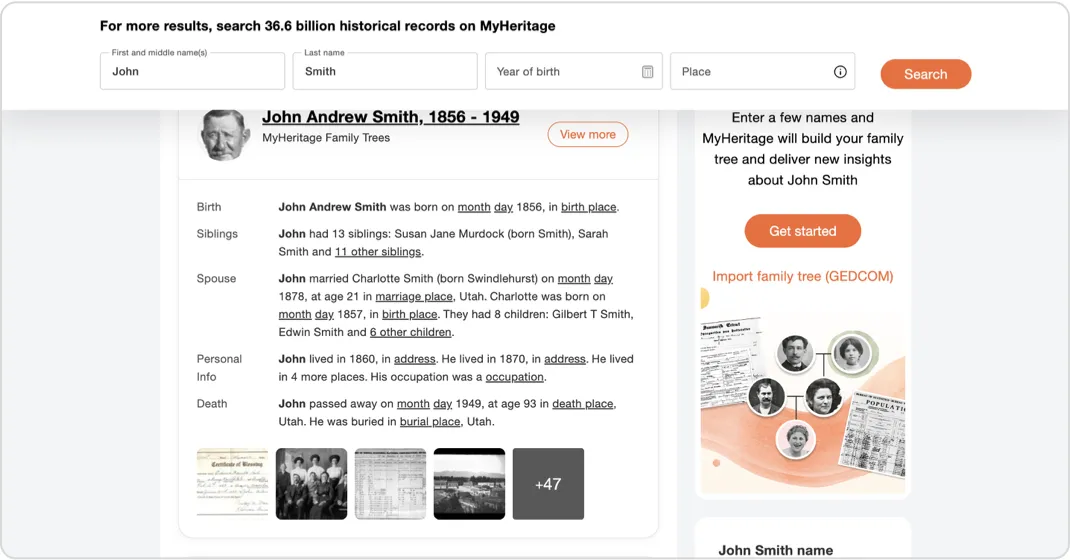
#3. The Hidden Entry Point: Repositioning the Docked SuperSearch Bar
While the page included a Docked SuperSearch bar for filtering, it was originally positioned at the bottom of the page.
User observation and testing indicated this was causing friction:
- The docked search bar was often hidden by the persistent cookie banner
- Users did not notice it at all when scrolling
- Users expected and sought a search form immediately upon arrival to narrow down results. When the search form was not found immediately, users felt "lost"

Our Solution
We made a simple but powerful adjustment: The Docked SuperSearch bar was moved from the bottom of the page to the top.
The change was highly effective: users navigating the new version noticed the docked header immediately. This simple change addressed the critical user expectation to refine their search quickly and helped them avoid confusion about how to narrowing down the results
New Layout: From Results-Only to Discovery-Oriented Design
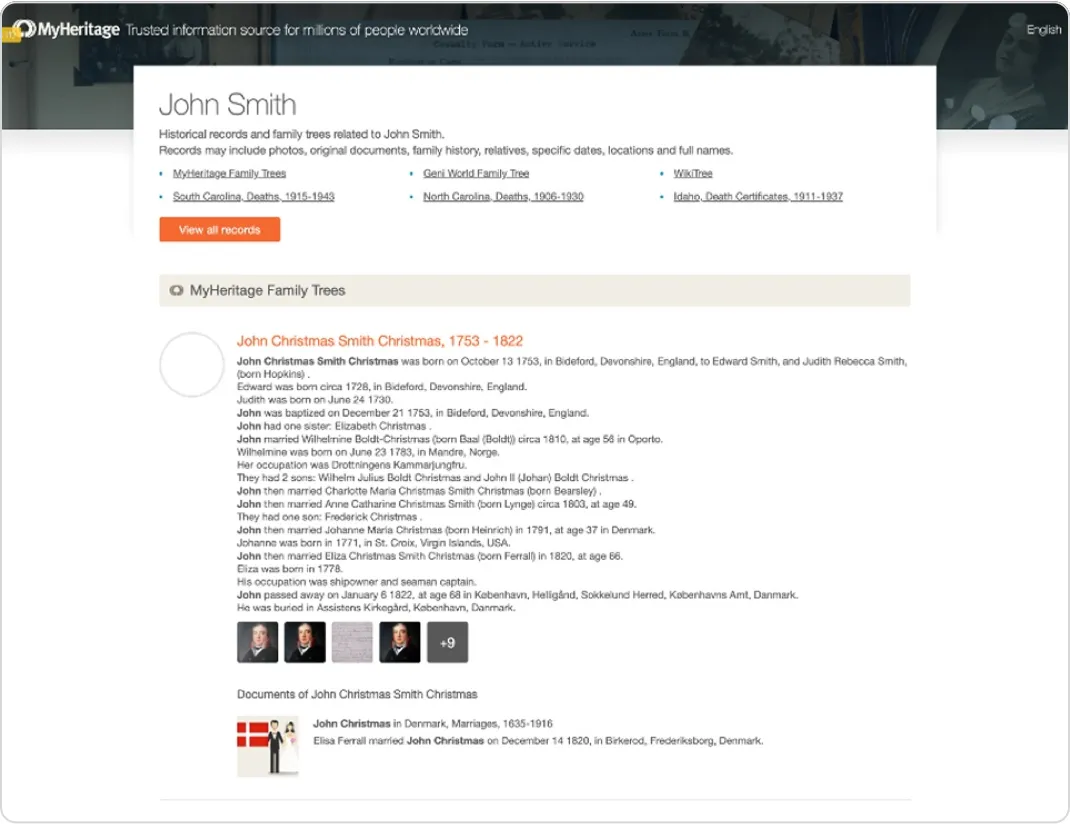
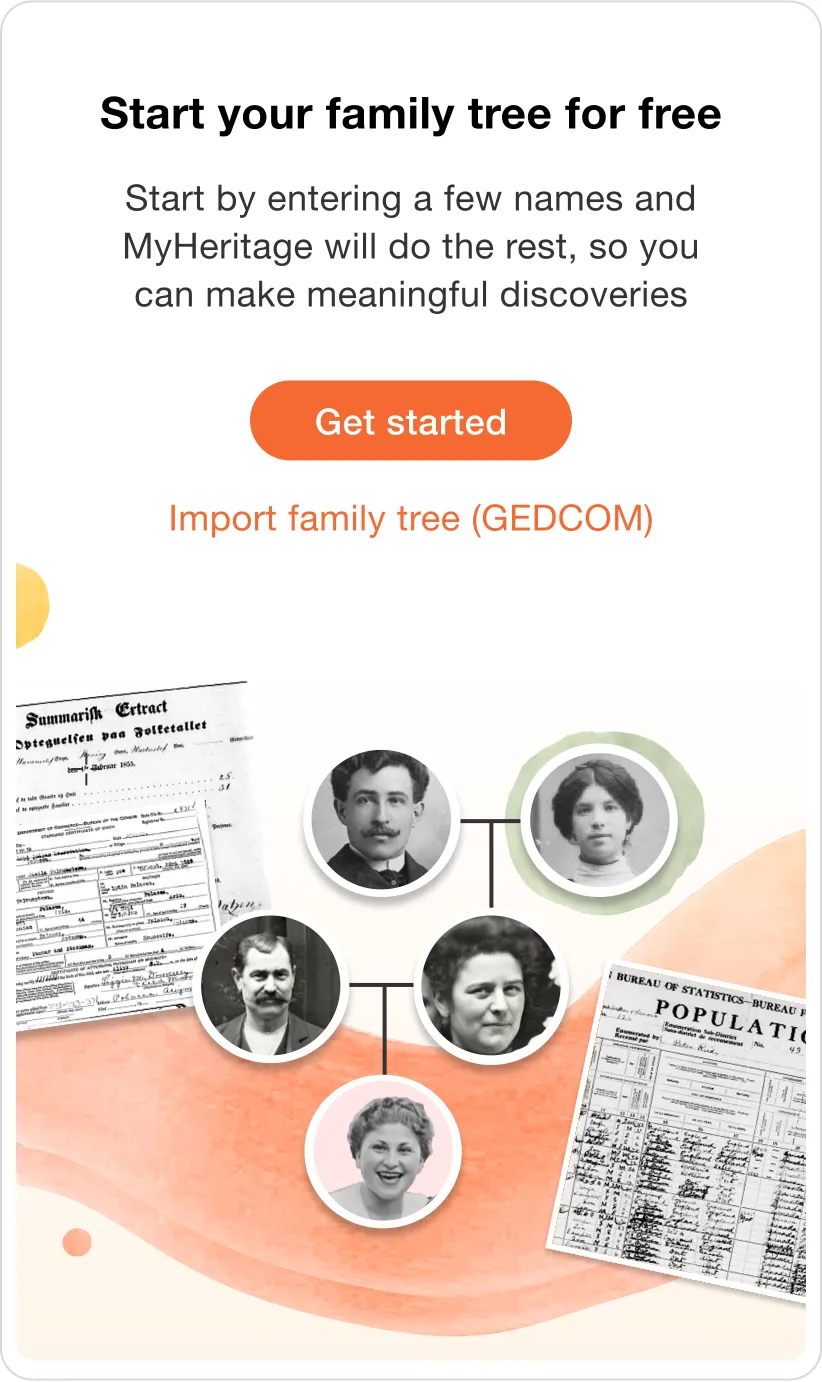
The new layout enabled a full UI facelift aimed at improving conversion. We redesigned and strategically positioned the “Create Family Tree” banner and enhanced the bottom banner’s visibility, resulting in higher registration and subscription engagement.
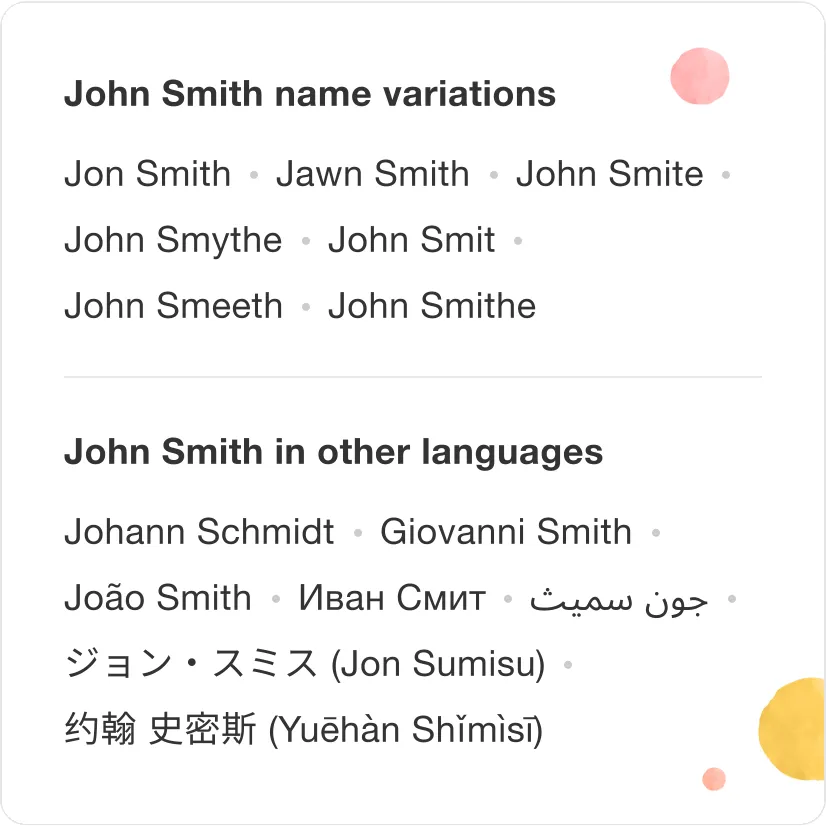
Dual-Purpose Widgets: Engaging Users, Documenting Data
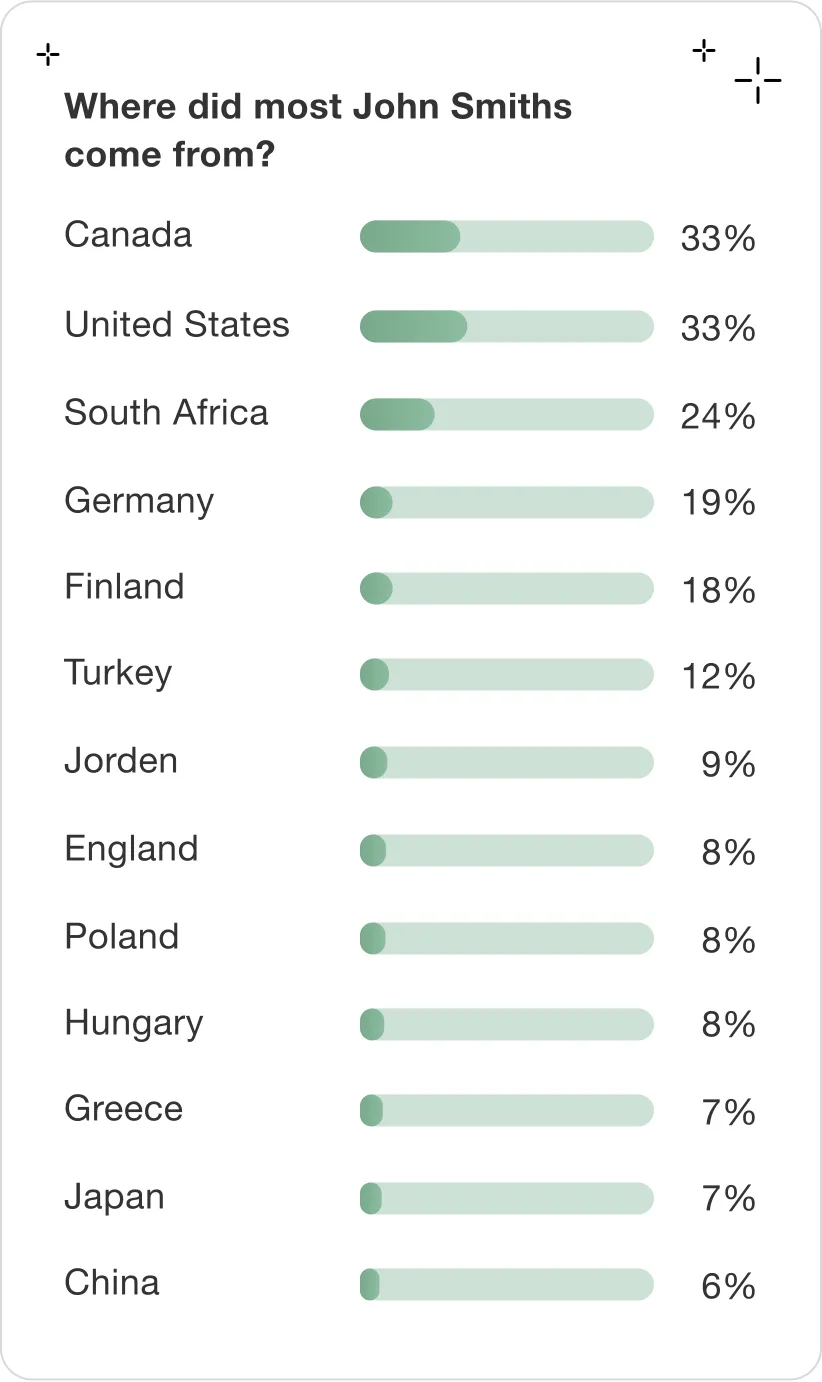
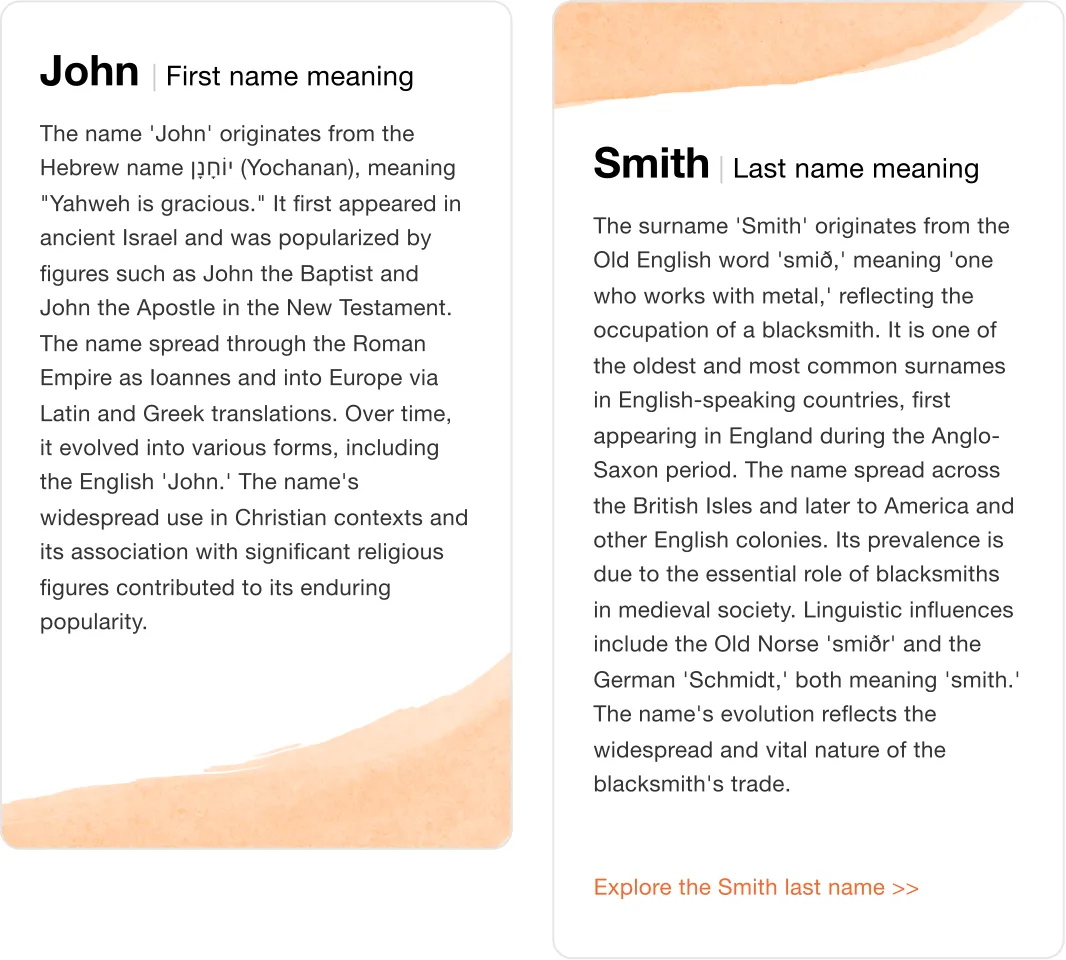
The new structure created space for valuable content components designed to be interesting to users (Engagement) while adding documentation and depth for Googlebot (Indexing)
Takeaways and Lessons Learned
We set out to turn a highly technical SEO challenge into an engaging, data-rich experience that serves both users and search engines.
The redesign proved that improving usability can directly impact discoverability - tripling indexed pages while elevating user trust and conversion.
I’ve learned that:
Data Over Opinion: When internal debates arose between UX and SEO priorities, data became the ultimate decision-maker. A/B testing confirmed that optimizing for user clarity outperformed link-dense strategies - proving that better UX leads to better indexing.
Subtlety Converts Better: The blurred metadata experiment taught me that subtle cues drive curiosity and trust more effectively than aggressive CTAs. A transparent, value-first approach can outperform pushy tactics, especially on mobile.
Structure Shapes Behavior: Redefining the layout to balance discovery, engagement, and crawlability showed how information architecture can serve both human and machine understanding.